
AI-Native Mobile App Development for 2026: A Strategy Guide
Master the shift from AI-integrated to AI-first mobile architecture for high-performance, intelligent applications.

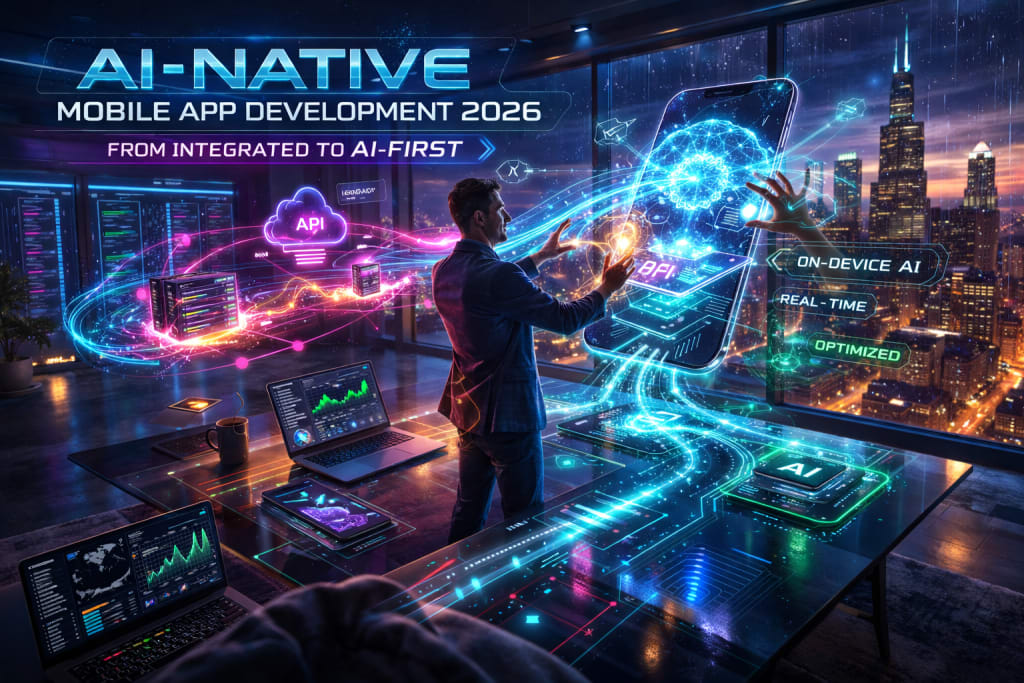
The landscape of mobile software has shifted. In 2026, one distinction matters most. Is your app "AI-integrated" or "AI-native"? This choice determines your market survival. Previous years focused on adding simple chatbots. These were often just a secondary layer. Current development prioritizes AI as the core engine. It drives the user interface and data processing. It also enables proactive functionality.
This guide is for technical decision-makers. It is also for product leads. You must navigate the move to AI-native systems. We will outline the new architectural requirements. We will cover deployment strategies. We will also discuss real-world constraints.
The 2026 Shift: From Integration to Native Logic
For years, developers treated AI as a remote service. It was a series of cloud API calls. These calls went to Large Language Models (LLMs). In 2026, this "wrapper" approach is not enough. High-performance applications require more power. The market now demands AI-Native Architecture. Intelligence is now baked into the local runtime.
The primary driver is the advancement of NPUs. NPU stands for Neural Processing Unit. This is a specialized circuit for AI tasks. NPUs are now standard in modern phone chips. Apps leverage this local silicon for complex tasks. This results in much lower latency. It also ensures higher user privacy. This is better than cloud-only solutions.
Core Architectural Principles
- Asymmetric Processing: Offload repetitive tasks to the cloud. Keep sensitive and real-time intelligence on the device. This keeps the UI fast and responsive.
- Contextual Awareness: Move beyond static user inputs. Ingest multi-modal data continuously. This includes vision, audio, and sensor signals. Multi-modal means processing different types of data.
- Proactive Interaction: Shift away from "request-response" cycles. Use agentic workflows instead. The app anticipates user needs. It uses learned patterns to act early.
Strategic Implementation Framework
An AI-native model requires a fundamental change. Your team must change its approach. It is not just about the code. It is about the underlying infrastructure.
1. Small Language Models (SLMs) and On-Device Inference
In 2026, SLMs are the new standard. These models have under 3 billion parameters. A parameter is a variable the model learns. SLMs are highly optimized for mobile use. Google’s Gemini Nano is a top example. Specialized Llama-3 variants are also popular. They handle text summarization and sentiment analysis. They also power smart replies. These tasks happen entirely offline. This reduces your server costs. It also ensures the app works in "dead zones." The app stays functional without a signal.
2. Multi-Modal Input Integration
Modern apps must process more than text. AI-native development uses vision and voice. These are now primary navigation tools. Users expect to use their cameras. They point the camera at an object. The app should understand the context. It should not need a manual search query.
3. Localization and Compliance
Global regulations have matured in 2026. The EU AI Act is one major example. Local execution is now a compliance feature. Keeping data on the device is fast. It also reduces legal risks. It helps with data residency and privacy rules. You may be scaling across borders. You need the right technical partner. Expert Mobile App Development in Georgia can help. They can navigate regional technical requirements. They offer cost-effective deployment for many markets. This includes the US and European markets.
Real-World Application: The Smart Inventory Scenario
Consider a hypothetical retail logistics application. This shows how AI-native systems function. In a traditional setup, workers scan barcodes. They wait for a database query. Then they manually update a count.
In 2026, the worker uses an AI-native app. The worker pans the camera across a shelf. The on-device vision model identifies every item. It does this all at once. It reconciles visual data with the local cache. It uses an agentic layer to find errors. It flags discrepancies in real-time. The cloud is only contacted at the end. It is also used for unknown items. This happens if the local model is unsure.
AI Tools and Resources
Core ML & TensorFlow Lite (2026 Updates) — These frameworks deploy models on mobile. They work on iOS and Android.
- Best for: Optimizing models for mobile NPUs.
- Why it matters: It reduces battery drain. It ensures smooth UI performance.
- Who should skip it: Teams using only cloud wrappers.
- 2026 status: Fully matured with new standards. Supports 4-bit and 2-bit quantization. Quantization makes models smaller and faster.
Firebase Gen Kit — This is a toolkit for AI features.
- Best for: Rapidly prototyping new AI ideas. Scaling features with unified backends.
- Why it matters: It connects apps to vector databases.
- Who should skip it: Teams with "on-premise only" rules.
- 2026 status: Includes hooks for edge-computing triggers.
Risks, Trade-offs, and Limitations
AI-native development has unique points of failure. Traditional apps do not face these issues.
When AI-Native Logic Fails: The "Model Drift" Scenario
Scenario: A finance app categorizes your spending. It uses an on-device model. Over time, the accuracy drops significantly. The app code has not changed.
- Warning signs: An increase in "Other" labels. Rising manual corrections from users.
- Why it happens: Real-world data has evolved. New merchant names appear daily. The local model is now outdated.
- Alternative approach: Implement a "shadow testing" pipeline. Send a small amount of anonymized data. Validate it against a cloud model. Use this to trigger model updates.
Additional Constraints
- Battery Thermals: Heavy inference creates heat. This can slow the entire OS.
- Storage Overhead: SLMs are large files. They add 500MB to 1.5GB to downloads.
Key Takeaways
- Prioritize the Edge: Move reasoning to the device. This enhances privacy and reduces latency.
- Design for Multi-Modality: Vision and voice are expected now. They are no longer just extra features.
- Monitor Model Health: AI models are not static code. They require ongoing observation for accuracy.
- Balance Privacy with Power: Use local execution for 2026 standards. Utilize the cloud for heavy compute tasks.
About the Creator
Keep reading
More stories from Del Rosario and writers in 01 and other communities.
Protecting User Data in a Privacy First US Market 2026
The relationship between American consumers and digital platforms is changing. It has reached a critical turning point in 2026. State-level privacy legislations continue to expand across the country. Data breach costs have reached new heights. User data protection is no longer just a technical checkbox. It is the primary driver of brand value. Business leaders face a major challenge today. They must deliver personalized experiences. They must also protect individual anonymity at all times.
By Del Rosario3 days ago in 01
Samsung Galaxy S26 Ultra Release New Phone
Samsung Galaxy S26 Ultra Release Date Everything We Know So Far About Samsung’s Next Flagship Powerhouse The anticipation around the Samsung Galaxy S26 Ultra release date is already building strong momentum in the tech world. As Samsung continues to dominate the premium smartphone segment, expectations for its next-generation flagship are higher than ever. While Samsung has not officially confirmed the exact launch date, industry trends, previous release patterns, and insider leaks give us a strong indication of when the Galaxy S26 Ultra could hit the market.
By Farooq Hashmi7 days ago in 01
What Is the Best Way to Launch an ICO in Today’s Market?
Launching and promoting an Initial Coin Offering (ICO) in today’s market requires a structured, research-driven, and compliance-focused approach. The early days of ICOs were characterized by rapid fundraising cycles and speculative enthusiasm, but the modern crypto environment demands credibility, transparency, and measurable execution. Investors are more informed, regulators are more active, and competition among blockchain projects has intensified. As a result, launching an ICO now requires strategic planning that integrates legal clarity, sustainable tokenomics, community engagement, and long-term ecosystem development.
By Jack santo2 days ago in 01




Comments
There are no comments for this story
Be the first to respond and start the conversation.