
RAG on Mobile: Embedding Vector Databases in Production
Architect’s guide to local vector search and retrieval-augmented generation for iOS and Android apps in 2026.

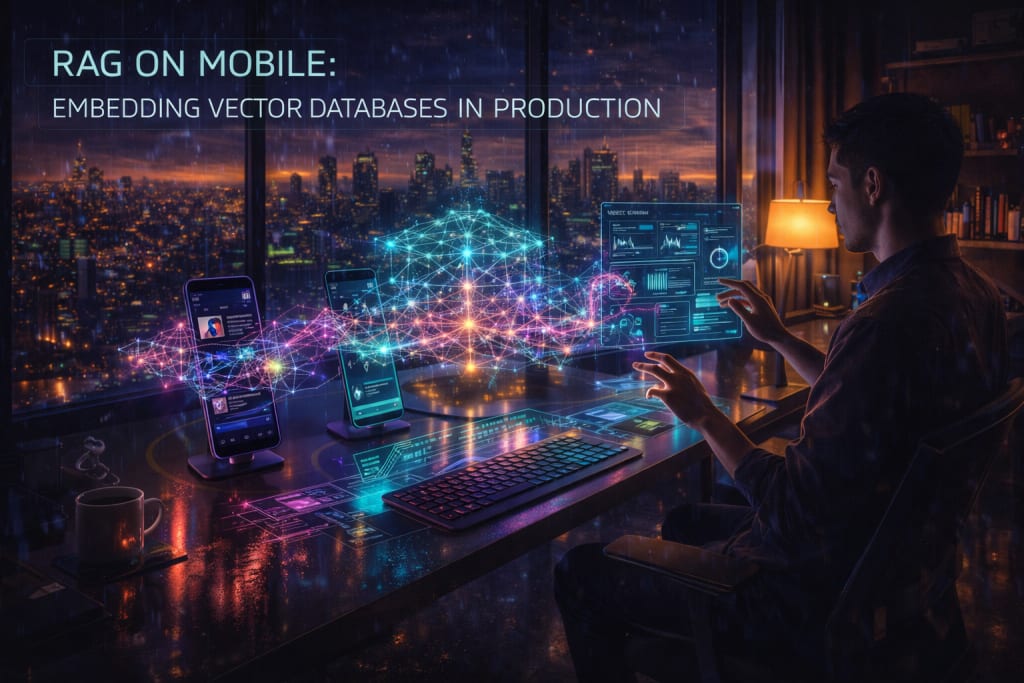
The industry is changing. By 2026, we have moved away from cloud AI. We now favor "Local-First" architectures. These systems prioritize user privacy. They offer offline functionality. They also reduce network latency. This shift toward RAG on mobile is a major transition. RAG stands for Retrieval-Augmented Generation. It is a way to give AI better context.
This guide is for technical leads. It is for mobile architects. You need to build production-grade RAG pipelines. These must run on edge devices. We will go beyond basic theory. We will focus on the engineering. You must embed data. You must store data. Then you must query high-dimensional data. This happens on modern smartphone hardware.
Current State or Problem Context
The bottleneck for mobile AI has changed. It is no longer just about raw power. The focus is now on context management. Cloud-based RAG has a major flaw. It suffers from "network jitter." A round-trip to a cloud database is slow. It takes 200ms or more. This delay kills a smooth user experience.
Mobile RAG solves this problem. It performs the retrieval step locally. The device stores user data as vectors. A vector is a list of numbers. These numbers represent the meaning of text. The app queries an embedded database. It finds the right context. Then it feeds this info to a model. This can be a local model. It can also be a cloud API. This hybrid approach is very secure. Sensitive data stays on the device. You still get the power of global LLMs.
Core Framework or Explanation
You must build a local pipeline. It has three main stages. These are Embedding, Storage, and Retrieval.
1. Local Embedding Generation
Do not use cloud APIs for embeddings. It is a privacy risk. It is also a cost drain. In 2026, apps use quantized models. Examples include variants of BGE or GTE. These run via ONNX Runtime. They also run via CoreML. These models turn text into vectors. They use 384 or 768 dimensions. This uses very little RAM. It is much lighter than a full LLM. Small Language Models (SLMs) are better here. They are fast and efficient.
2. Embedded Vector Storage
Standard SQLite is not enough. It cannot do similarity searches well. You need a specialized engine. It must use HNSW indexing. This stands for Hierarchical Navigable Small World. It can also use Flat L2 searches. These must fit a mobile memory footprint. You may need expert help. Partnering with experts can help you. Mobile App Development in Georgia is one option. They can help with complex C++ engines. They bridge the gap to Swift or Kotlin.
3. Contextual Retrieval
Retrieval is the most vital part. It is only as good as your ranking. You must balance two things. The first is Recall. This means finding all relevant info. The second is Latency. This means speed. If you have under 5k vectors, use flat indexing. It is mathematically perfect. It is fast on modern chips. If you have over 10k vectors, use HNSW. You can also use IVF indexing. This keeps query times under 30ms.
Real-World Examples
Consider a productivity app. It summarizes 2,000 personal notes for a user.
- The Constraint: The app must work on an airplane. This means it must be offline. It cannot upload notes to a server. This is due to GDPR and CCPA rules.
- The Solution: The app embeds each note locally. This happens as the user saves them. The user might ask a specific question. "What did I decide last Tuesday?" The app performs a similarity search. It looks at the local vector store.
- The Result: The app finds the top 3 notes. It sends them to a local model. Llama 3.2-1B is a good choice. The app gives an answer quickly. This takes under 1.5 seconds.
Practical Application
Success depends on resource management. Follow this logic for your deployment.
- Select a Quantized Embedding Model: Use a 4-bit or 8-bit model. This keeps the size under 50MB.
- Define Your Indexing Strategy: Your data might be very dynamic. If so, avoid heavy HNSW rebuilds. Start with a "Flat" index. Move to "IVF" if latency grows. Do this if it exceeds 100ms.
- Implement Token-Limit Logic: Mobile models have small windows. They cannot read infinite text. You must trim the search results. Stay within the 2k-4k token limit.
- Hardware Acceleration: Bind operations to the Neural Engine. Use the NPU on Android devices. CPU math will drain the battery. It also causes heat problems.
AI Tools and Resources
ObjectBox Vector Search — An on-device database designed for edge devices.
- Best for: Mobile apps needing high-speed local vector similarity search.
- Why it matters: It provides a "No-SQL" experience for vectors with significantly lower RAM overhead than FAISS.
- Who should skip it: Developers who require complex SQL joins alongside their vector data.
- 2026 status: Fully released with support for major card networks.
Chroma DB (Mobile C++ Core) — A lightweight version of the popular vector store.
- Best for: Cross-platform apps that need consistency between cloud and edge.
- Why it matters: Simplifies the transition from a Python-based prototype to a C++ mobile core.
- Who should skip it: Purely native iOS teams who might prefer Apple-specific frameworks.
2026 status: In production-stable release for mobile platforms.
Risks, Trade-offs, and Limitations
RAG on mobile is not perfect. You must respect the hardware limits.
When On-Device RAG Fails: The "Battery Death Spiral"
Do not re-index 50,000 vectors at once. Do not do this in a background thread. The system will kill your process. The device will also get very hot.
- Warning signs: Check the Energy Impact in Xcode. Watch for background task termination.
- Why it happens: Vector embedding is heavy math. Using all threads draws too much power.
- Alternative approach: Use "Trickle Indexing." Process only 10 items at a time. Do this when the phone is charging or idle. Use the BackgroundTasks framework (iOS) or WorkManager (Android).
Key Takeaways
- Privacy is the Feature: Local RAG keeps data on the device. This is the best for compliance.
- Quantize Everything: Never use a full-precision model. Use 4-bit quantization instead.
- Hybrid is Reality: Use local RAG for speed and privacy. Use the cloud for complex logic tasks.
- Monitor Thermal State: Check if the phone is hot. Stop indexing before the OS slows down.
About the Creator
Keep reading
More stories from Devin Rosario and writers in 01 and other communities.
Maximizing App ROI via Predictive Analytics in 2026
The landscape of mobile engagement has shifted. In 2026, acquiring a user is not the only success metric. The true value lies in the Lifetime Value (LTV). LTV measures the total revenue a user generates over time. For many firms, acquisition costs have risen by 20%. This has happened over the last two years. Platform saturation and new privacy laws are the main causes. To stay profitable, businesses must pivot their strategy. Move from reactive support to proactive retention.
By Devin Rosario4 days ago in 01
How to Build a Data-Driven Association Meetings Strategy
An effective Association Meetings Strategy is no longer built on assumptions or past habits. Today, associations operate in a competitive environment where member expectations are rising, budgets are scrutinized, and outcomes must be measurable. A data-driven approach transforms meetings from routine gatherings into strategic growth tools.
By Meeting Media3 days ago in 01



Comments
There are no comments for this story
Be the first to respond and start the conversation.