
Top Frameworks for .NET Desktop Development
.NET-Based Frameworks for Desktop Development

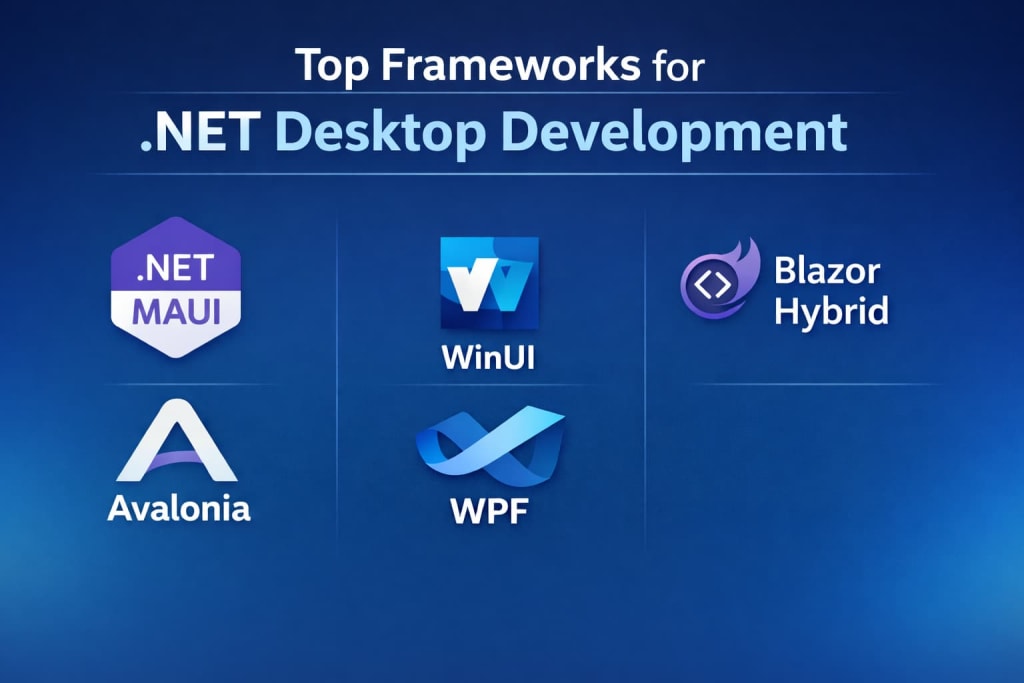
Desktop applications continue to play a central role in professional, enterprise, and creative computing. Despite the growing prominence of web and mobile technologies, desktop software offers unique advantages: high performance, deep system integration, and offline capabilities. For developers in the Microsoft ecosystem, .NET remains the primary platform for building robust desktop applications. Within .NET, multiple frameworks exist, each tailored for different development needs—from modern, high-performance frameworks to mature, stable legacy options.
Selecting the right framework is critical. The choice impacts development speed, maintainability, scalability, and user experience. This article explores the leading .NET frameworks for desktop development, detailing their strengths, ideal use cases, and limitations, providing a clear roadmap for developers and businesses alike.
.NET MAUI (Multi-platform App UI)
.NET MAUI is a modern framework designed for building desktop and mobile applications using a single codebase. Although it is widely known for cross-platform development, it is also fully capable of supporting Windows desktop applications. For developers seeking to combine desktop and mobile deployment while maintaining one codebase, MAUI provides an elegant solution.
Strengths:
- Unified codebase: Developers can write application logic once and deploy it to Windows desktop, macOS, iOS, and Android.
- Modern UI design: Uses XAML for flexible and maintainable interface creation.
- MVVM support: Encourages separation of UI and business logic, facilitating scalable architectures.
- Integration with native APIs: Provides access to Windows desktop APIs while maintaining platform abstraction.
Use Cases:
- Applications that require both desktop and mobile deployment.
- Enterprise tools needing consistent UI across multiple platforms.
- Projects seeking to reduce development and maintenance overhead by sharing logic across devices.
Limitations:
MAUI is relatively new in the desktop context, and the ecosystem of components is smaller than that of WPF or WinForms. Teams must also be familiar with modern patterns like MVVM and reactive programming.
Avalonia
Avalonia is an open-source, cross-platform UI framework inspired by WPF. It allows developers to target Windows, macOS, and Linux with a single codebase, using a XAML-like syntax familiar to WPF developers.
Strengths:
- Cross-platform desktop support while maintaining a WPF-like development experience.
- Supports MVVM, ensuring maintainable and scalable applications.
- Flexible UI customization and styling, suitable for rich and modern interfaces.
- Active open-source community with growing libraries and tools.
Use Cases:
- Applications requiring multi-OS support with one codebase.
- Modern desktop tools for industries where Windows, macOS, and Linux users coexist.
- Open-source or commercial products seeking flexibility and cost-effectiveness.
Limitations
The Avalonia ecosystem is still maturing. Advanced UI components may need to be developed from scratch, and integration with Windows-specific APIs can be more complex compared to native frameworks.
WinUI (Windows UI Library)
WinUI is Microsoft’s modern native UI framework for Windows desktop applications. It is designed to replace older frameworks like WPF and WinForms for new Windows-only projects and provides developers with the latest Fluent Design System elements.
Strengths:
- Modern, native UI: Offers a polished look consistent with Windows 10 and 11 aesthetics.
- Rich system integration: Deep access to Windows APIs for a highly responsive experience.
- MVVM support: Encourages maintainable and testable architectures.
- Backward compatibility: Can integrate with existing WPF and WinForms components.
Use Cases:
- Windows-only applications requiring modern design and fluent UI.
- Enterprise software needing native performance and system integration.
- Applications where animations, visual polish, and responsive layouts are critical.
Limitations
WinUI is Windows-only and cannot be deployed to macOS or Linux. While it is modern, some niche third-party controls are still being developed, and it requires learning newer patterns compared to legacy frameworks.
Windows Presentation Foundation (WPF)
WPF is a mature Windows framework that uses declarative XAML for building rich desktop applications. It is widely used for enterprise applications requiring sophisticated interfaces and data visualization.
Strengths:
- Rich UI capabilities: Supports animations, multimedia, and complex layouts.
- MVVM support: Promotes separation of UI and business logic for maintainability.
- Mature ecosystem: Extensive third-party libraries and controls.
- Performance: Strong rendering performance for most desktop applications.
Use Cases:
- Enterprise software with complex UI or visualization needs.
- Applications requiring advanced data binding and interactive interfaces.
- Windows-centric tools where deep platform integration is essential.
Limitations
WPF is Windows-only and does not provide the most modern Fluent Design UI for Windows 10/11. Its learning curve is steeper than WinForms, and optimizing highly interactive applications may require careful management of rendering and threading.
Blazor Hybrid
Blazor Hybrid combines web technologies with desktop capabilities, allowing developers to use Razor components (HTML and CSS) alongside native desktop APIs via frameworks like .NET MAUI.
Strengths
- Web and desktop code reuse: Ideal for teams with existing web applications.
- Access to native APIs: Bridges the gap between web and desktop functionality.
- Modern UI development: Leverages HTML, CSS, and Razor for UI flexibility.
- MVVM support: Can integrate with desktop patterns for maintainability.
Use Cases:
- Desktop applications extending existing web platforms.
- Tools requiring dashboards or complex interactive elements using web technologies.
- Applications that benefit from code sharing between web and desktop.
Limitations:
Performance may be limited for highly graphics-intensive applications. Developers need expertise in both web and desktop paradigms.
Choosing the Right Framework
The ideal framework for a .NET desktop application depends on several factors:
Target Platform:
- For Windows-only apps: WinUI or WPF
- For multi-platform desktop apps: Avalonia or MAUI
UI Complexity:
- Rich, interactive UIs: WinUI or WPF
Modern vs Legacy:
- Future-proof apps: WinUI, MAUI, Avalonia
- Maintaining existing apps: WinForms or WPF
Integration Needs:
- Web integration: Blazor Hybrid
- Deep Windows integration: WinUI
Code Reuse and Maintainability:
- MAUI, Avalonia, and Blazor Hybrid allow shared code across platforms or web applications.
Conclusion
The .NET ecosystem provides a comprehensive spectrum of frameworks for .NET desktop development, ranging from cutting-edge modern frameworks to stable legacy options.
- .NET MAUI allows developers to target Windows desktops while preparing for potential cross-platform deployment.
- Avalonia provides an open-source, flexible solution for modern cross-platform desktop apps.
- WinUI is the future of native Windows desktop development, delivering modern Fluent Design UI and system integration.
- WPF remains a strong choice for enterprise applications with rich UI and data-driven interfaces.
- Blazor Hybrid bridges the web and desktop worlds, ideal for organizations with existing web infrastructure.
- WinForms continues to serve legacy applications and internal business tools with simplicity and speed.
By understanding the strengths, limitations, and ideal use cases of each framework, developers and organizations can make informed decisions, ensuring robust, maintainable, and visually appealing desktop applications for Windows.
About the Creator
Chudovo
Chudovo is a custom software development company, focused on complex systems implementation.
Keep reading
More stories from writers in Education and other communities.
Effective Mentorship Strategies to Help Clinicians Lead Patient-Centered Healthcare Innovation
Healthcare organizations today face growing expectations to deliver higher-quality care while improving efficiency and patient satisfaction. Innovation is often discussed at the leadership level, yet some of the most valuable ideas originate from clinicians working directly with patients. These professionals understand daily challenges in care delivery and recognize opportunities for improvement that others may overlook. When healthcare leaders actively mentor clinicians, they unlock the potential for meaningful, patient-centered innovation.
By Dr. Janet Cholletabout 10 hours ago in Education
Flower Bloom 369
FLOWER Bloom 2/25/26 Wednesday By Mariann Carroll Karen had been with Tony for 7 years. Tony started acting strangely after her surgery. He would mow the lawn in the rain and be on his cellphone. He started pushing Karen away. Tony came clean about seeing someone. Karen moved out two months later. Karen moved in with a friend. She felt betrayed.
By Mariann Carroll6 days ago in Fiction




Comments
There are no comments for this story
Be the first to respond and start the conversation.